 Kindly Budget
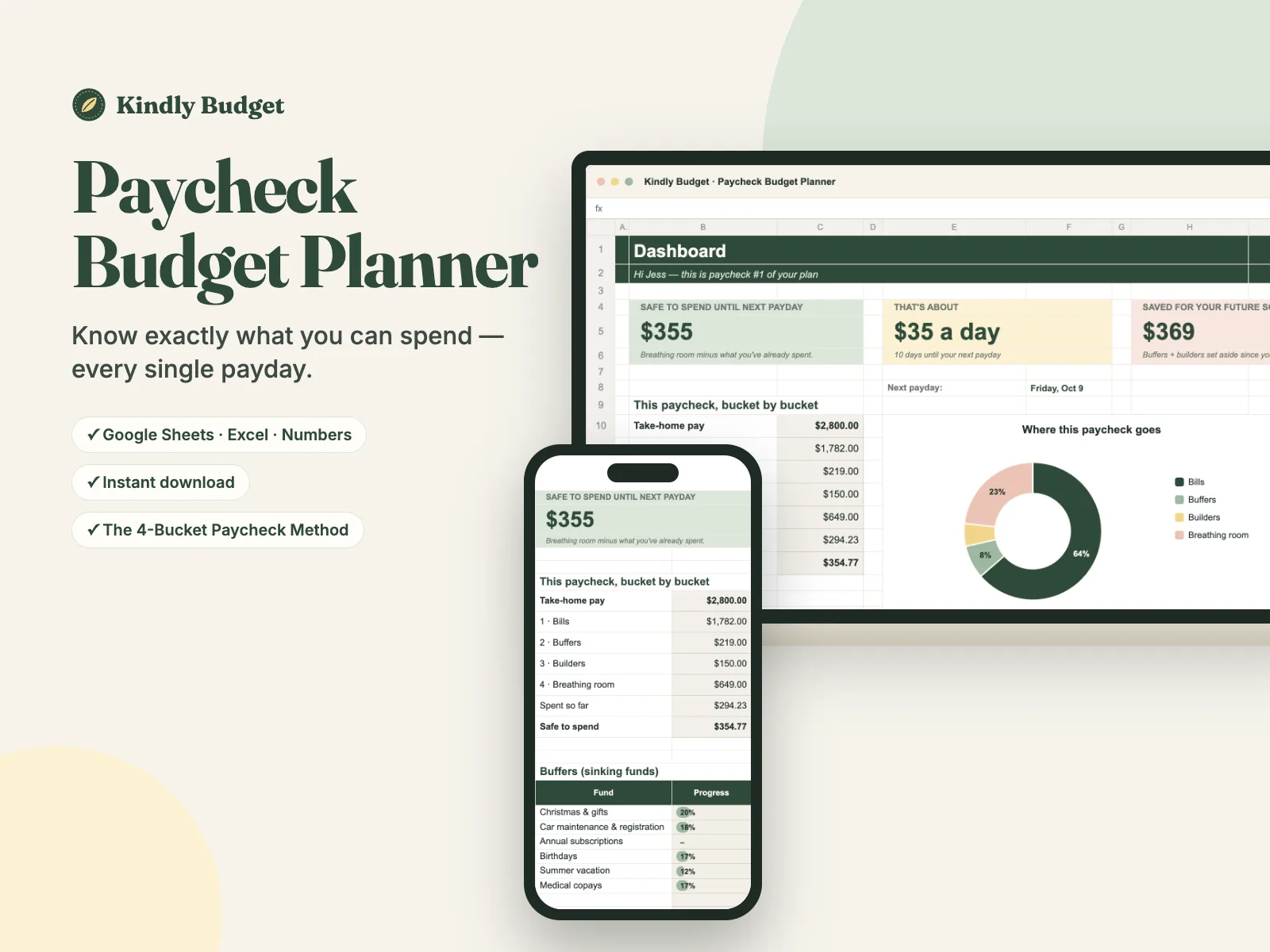
Know exactly what you can spend — every payday.
The Paycheck Budget Planner gives every paycheck a job in 10 minutes. Bills sort themselves into the right paycheck, and you get one calm number: safe to spend until next payday.
Secure checkout by Polar · Card, Apple Pay, Google Pay · Love it or it's free (14 days)
- Works in Google Sheets, Excel & Numbers
- Weekly, biweekly, twice-a-month or monthly pay
- Instant download · $, £, €, CA$, A$
Payday feels amazing… for about 48 hours.
- Rent, the car payment and three subscriptions leave your account before you even notice.
- Two days before payday you're checking your balance with one eye closed.
- Christmas, car repairs and birthdays always feel like a "surprise" — even though they happen every year.
- You've tried budgeting apps. They wanted you to track every coffee, and you quit in two weeks.
You're not bad with money. You just never had a system that fits how you actually get paid.
Most budgets are monthly. Your life isn't — it happens paycheck to paycheck. When your bills, your paydays and your plans finally line up, money stops feeling like a guessing game.
The 4-Bucket Paycheck Method
Every time you get paid, the planner gives that paycheck a job — in this order:
Bills
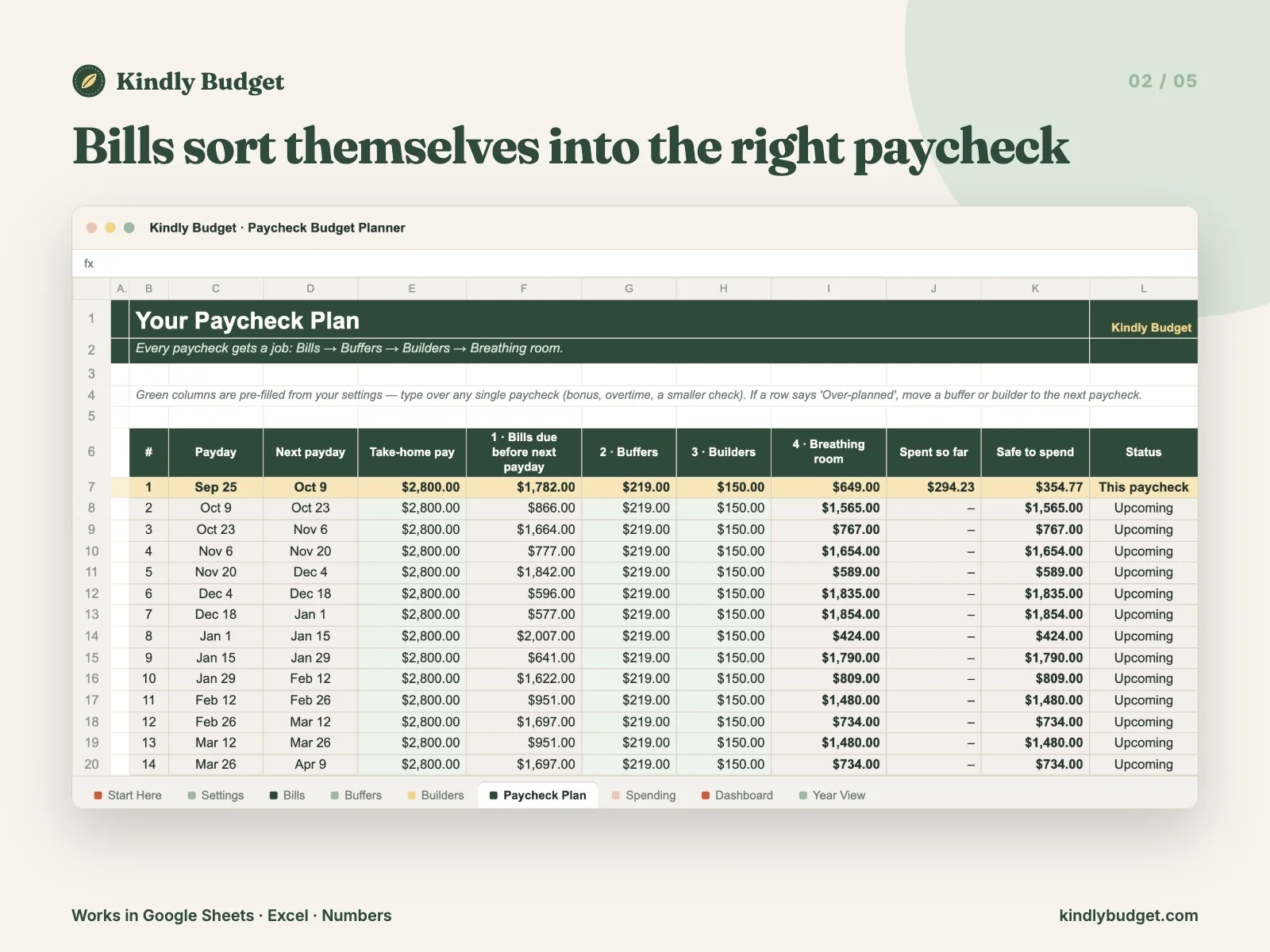
Each bill automatically lands on the paycheck that arrives before it's due. No more calendar math.
Buffers
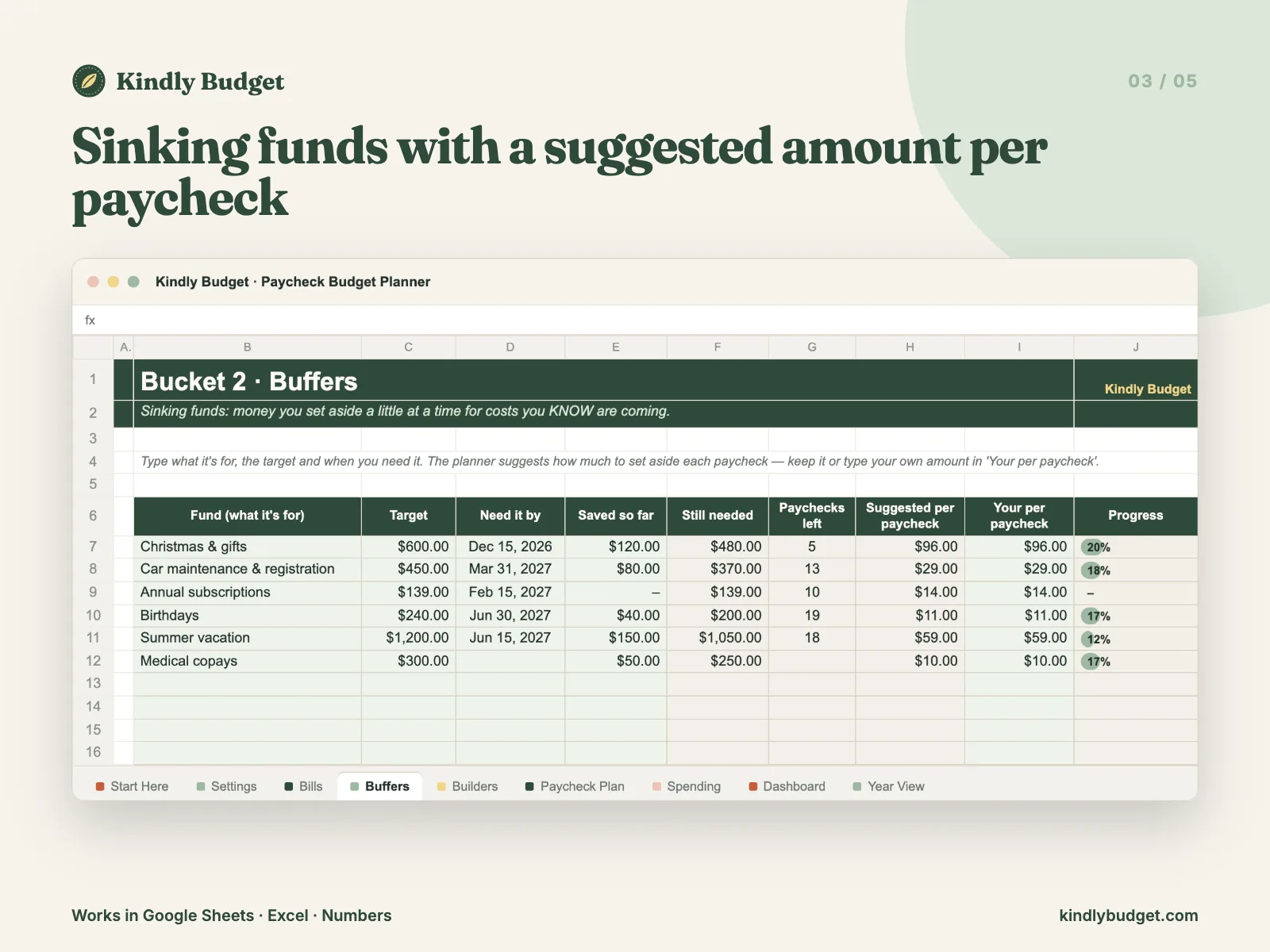
Small set-asides for costs you know are coming — Christmas, car, birthdays. The planner suggests the exact amount per paycheck.
Builders
Your future: emergency fund, savings goals and extra debt payments.
Breathing room
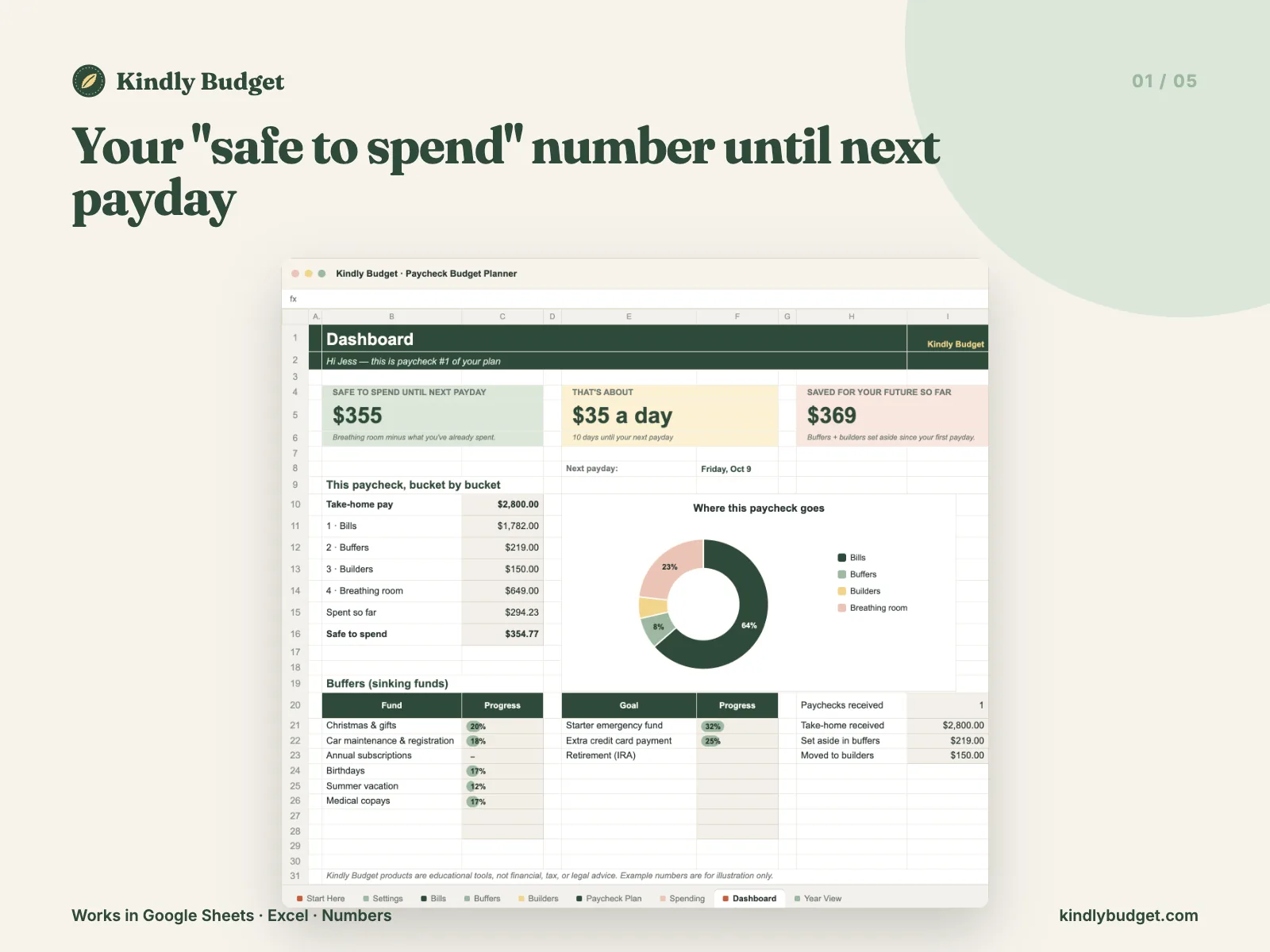
Everything left is yours for groceries, gas and fun — guilt-free. Your dashboard shows how much is safe to spend until next payday.
Real screenshots, real formulas.
What's inside
- Dashboard with your "safe to spend" number, a daily allowance and progress on every goal
- Paycheck Plan: a full year of paychecks, generated from one payday you enter
- Bills: list them once with their due day — they sort themselves into the right paycheck
- Buffers (sinking funds) with a suggested amount per paycheck for each goal
- Builders: emergency fund, savings goals and extra debt payments with progress bars
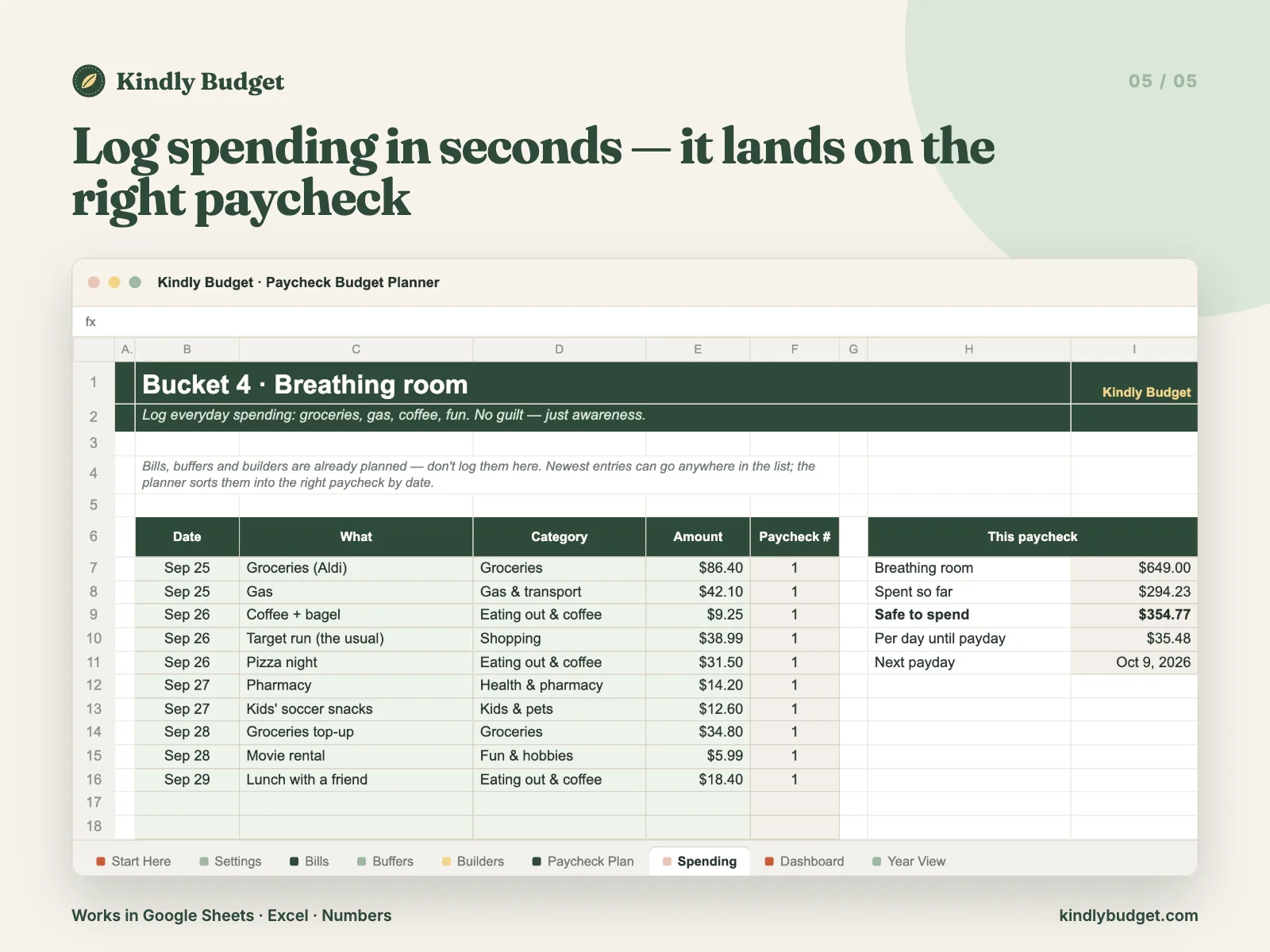
- Spending tracker that files every purchase under the right paycheck
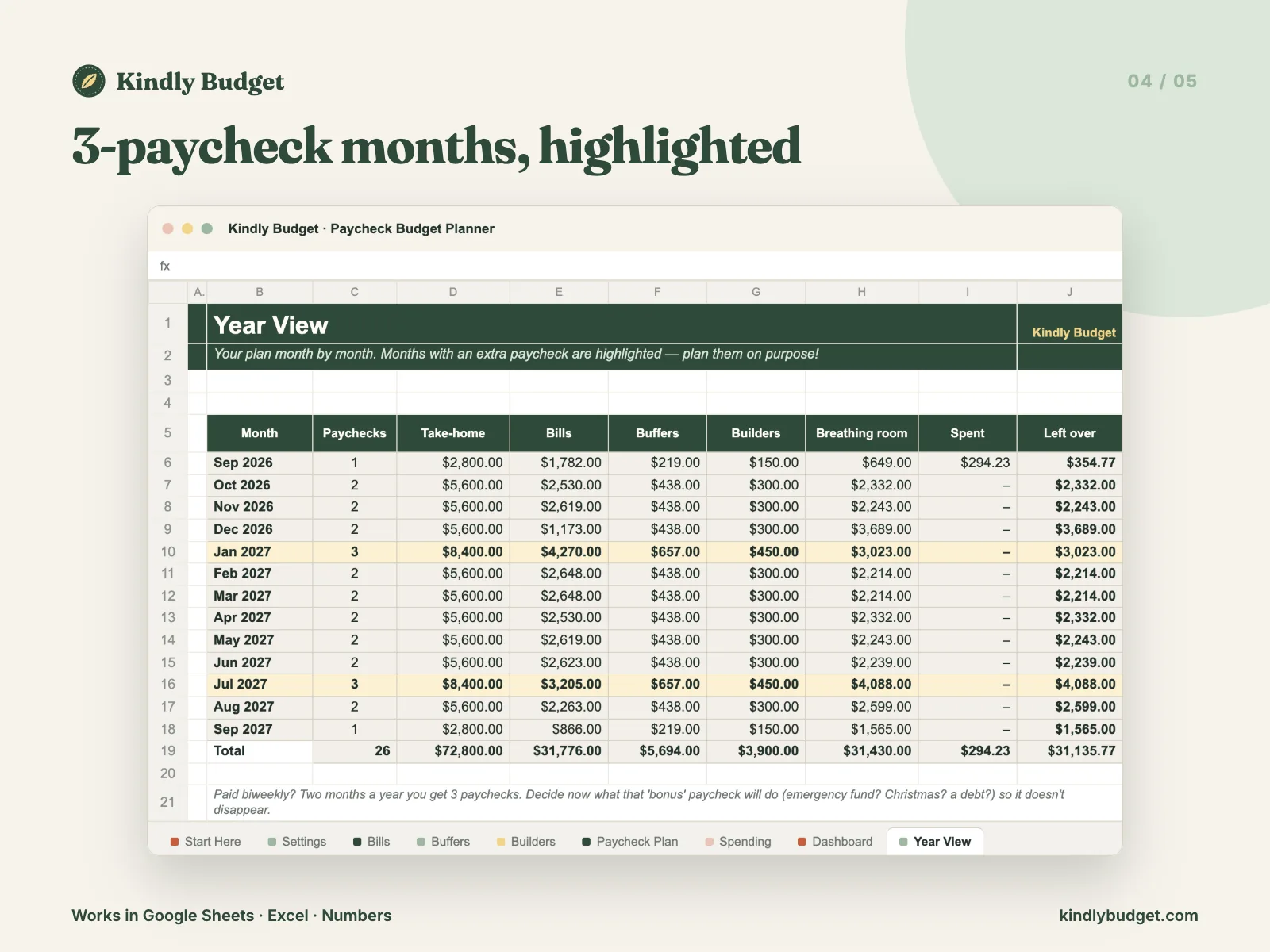
- Year View that highlights your 3-paycheck months (so the "bonus" paycheck doesn't vanish)
- Start Here tab + PDF guide, example data you can clear in one minute
- 5 currency versions: $, £, €, CA$ and A$
Formats: Excel .xlsx — works in Google Sheets, Microsoft Excel and Apple Numbers · 5 currency versions: $, £, €, CA$, A$ · Start Here PDF guide
How it works
Checkout
Secure checkout by Polar. Pay with card, Apple Pay or Google Pay.
Download
Your files arrive instantly by email and in your customer portal.
Plan
Open it in Google Sheets, Excel or Numbers. Enter your payday, bills and goals — about 10 minutes.
or it's
free
Love it or it's free
If the planner doesn't make your money feel calmer, email us within 14 days of your first purchase and we'll refund you. No awkward questions.
Good questions
Do I need Excel?
No. It works in free Google Sheets (on your computer or phone), Microsoft Excel and Apple Numbers.
I'm paid every two weeks / twice a month / weekly. Does it work?
Yes. Choose weekly, biweekly, semi-monthly or monthly and it builds your paydays for the whole year.
What if my paycheck changes?
Type the real amount on that paycheck's row. Everything else updates automatically.
Which currency does it use?
Your download includes $, £, €, CA$ and A$ versions — open the one you need.
Is this financial advice?
No. It's an organizing tool that helps you see and plan your own money. For advice about your situation, talk to a licensed professional.
Is it a subscription?
No. One payment, yours forever — including future updates to this planner.
Your next payday can feel different.
Ten minutes of setup, then five calm minutes every payday. That's it.
Not ready yet? Grab the free Subscription Audit.
Secure checkout by Polar · Card, Apple Pay, Google Pay · Love it or it's free (14 days)
Kindly Budget products are educational tools, not financial advice. Example numbers are for illustration only.