 Kindly Budget
Stop getting caught out by "surprise" expenses.
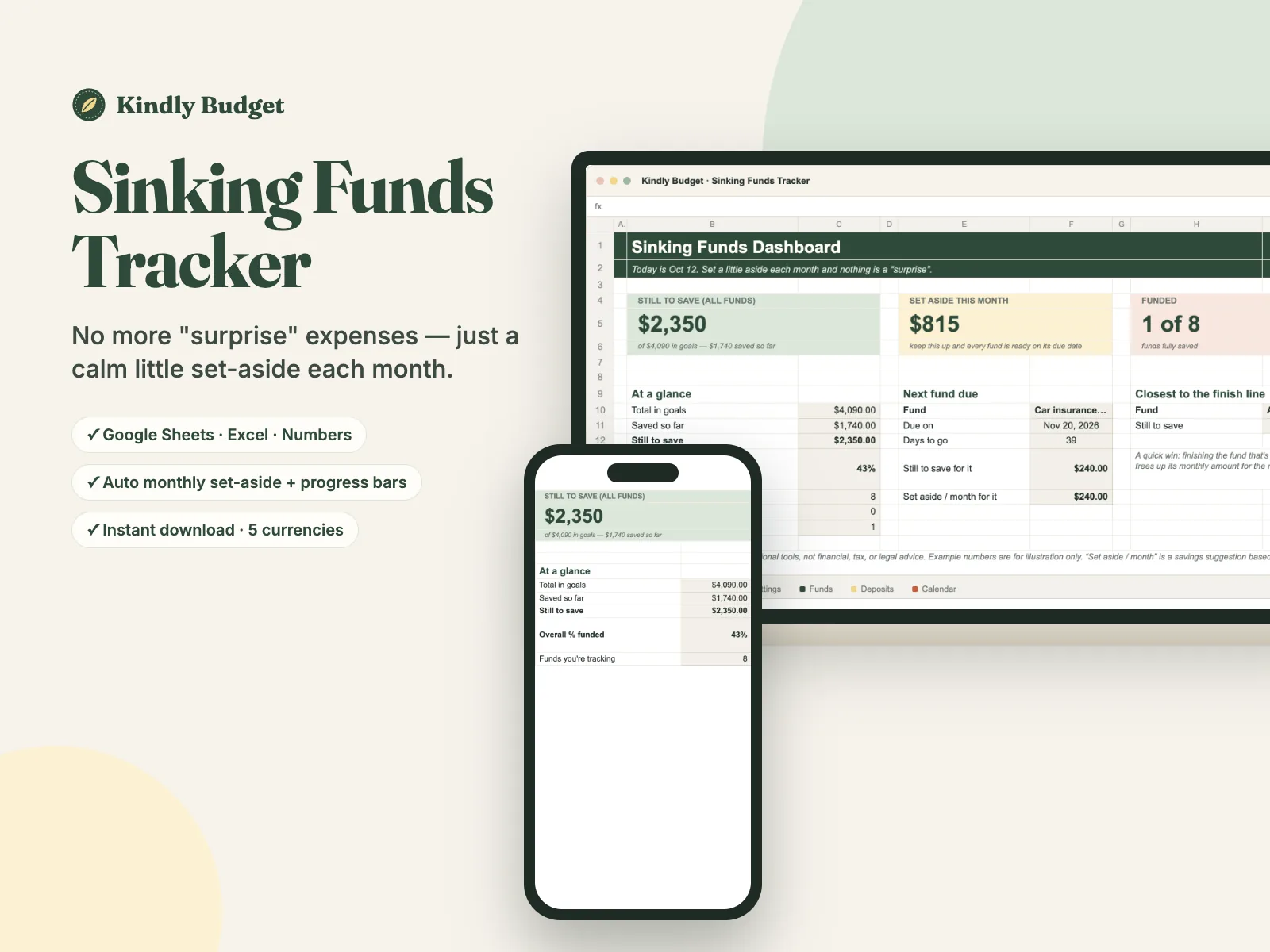
The Sinking Funds Tracker turns Christmas, car repairs, insurance and travel into funds with a target and a due date — then tells you the exact amount to set aside each month so every one is ready on time.
Secure checkout by Polar · Card, Apple Pay, Google Pay · Love it or it's free (14 days)
- Works in Google Sheets, Excel & Numbers
- Auto monthly set-aside + progress bars for every fund
- Instant download · $, £, €, CA$, A$
They're not really surprises. They just feel like them.
- Christmas, the car service, the annual insurance renewal — they happen every year, yet somehow always land on the credit card.
- You start saving in November, panic in December, and spend January catching up.
- Your emergency fund keeps getting raided for things that aren't actually emergencies.
- You know you "should" set money aside, but never the right amount — so it never quite happens.
You don't need more willpower. You need the right number.
A sinking fund is just money set aside, a little each month, for a known expense that isn't monthly. The hard part is working out how much — for each goal, by each date. That's the one thing this tracker does for you.
The Sinking Fund Split
Every known-but-not-monthly cost becomes a fund with four simple parts:
The goal
Name the expense and the amount you'll need — $600 for Christmas, $720 for the insurance renewal.
The date
When do you need it by? The tracker counts the months left for you.
The set-aside
It divides what's still to save by the months left — so you know the exact amount to put aside each month.
The progress
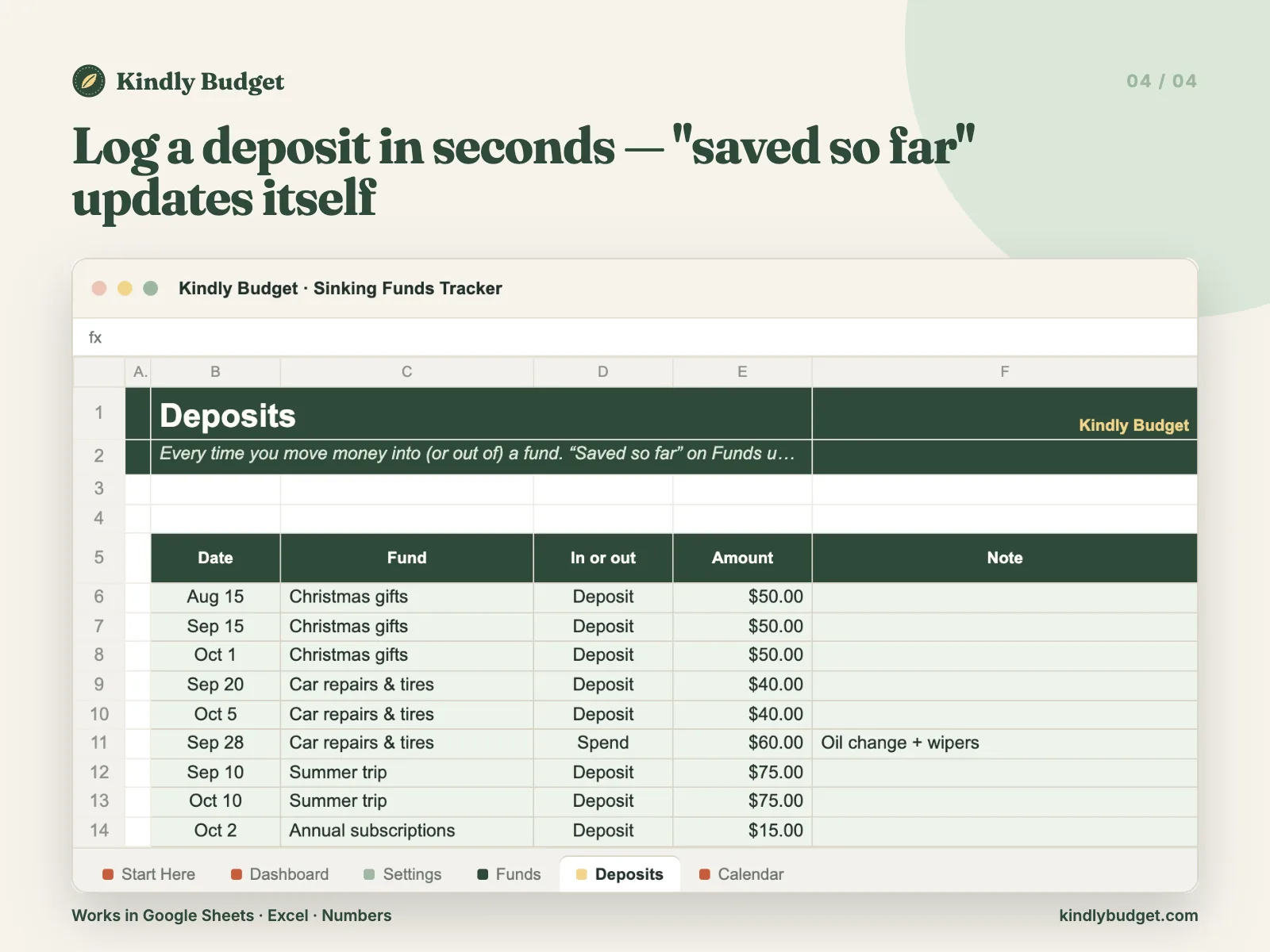
Log each deposit and watch the bar fill. Your dashboard shows the total to set aside this month and the next fund due.
Real screenshots, real formulas.
What's inside
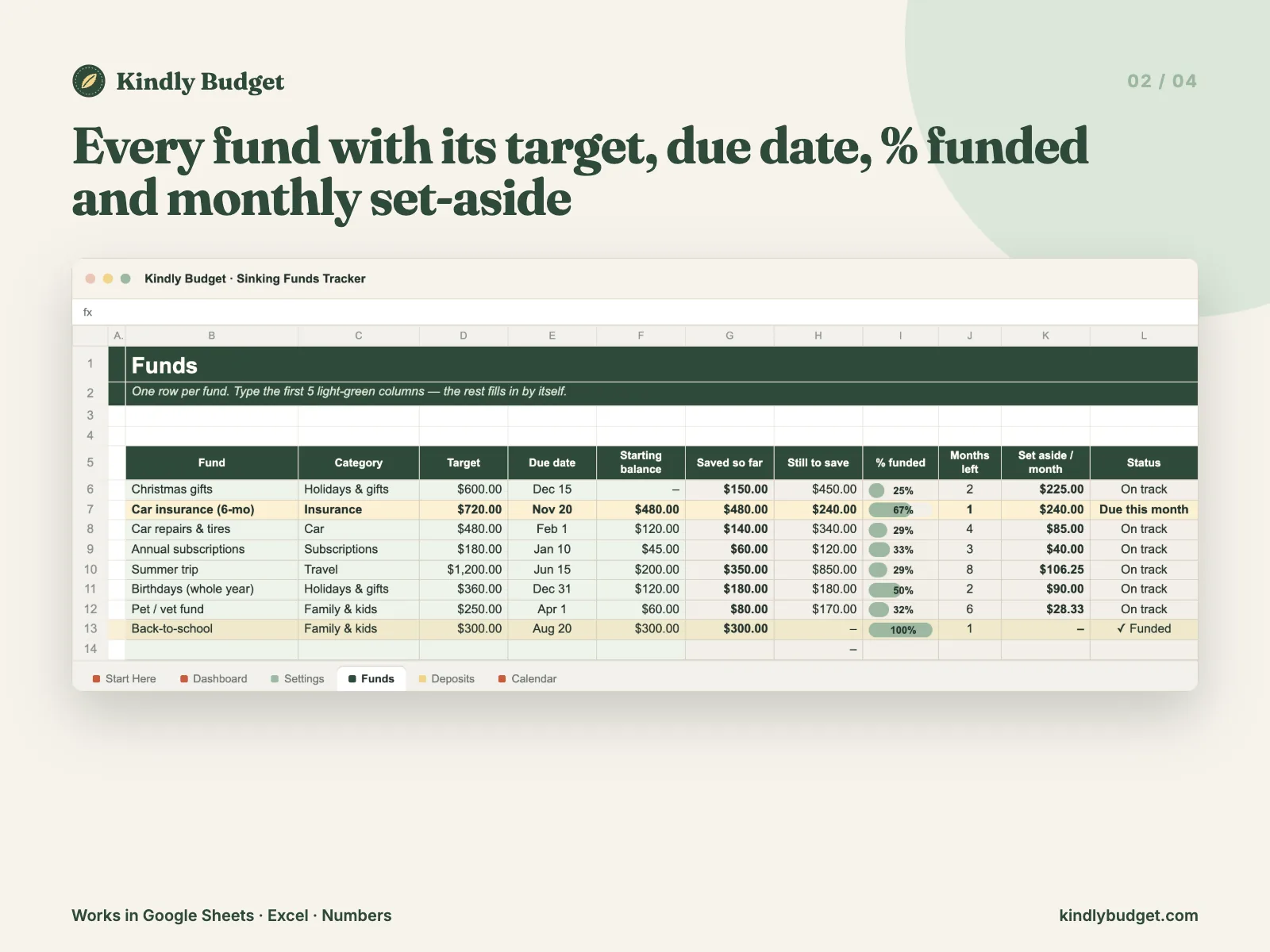
- Funds tab: list each fund with a target and a due date — the monthly set-aside, months left and % funded fill in by themselves
- A progress bar for every fund, plus a clear status (On track · Due this month · Funded)
- Deposits log: add money in (or take it out) and "saved so far" updates itself
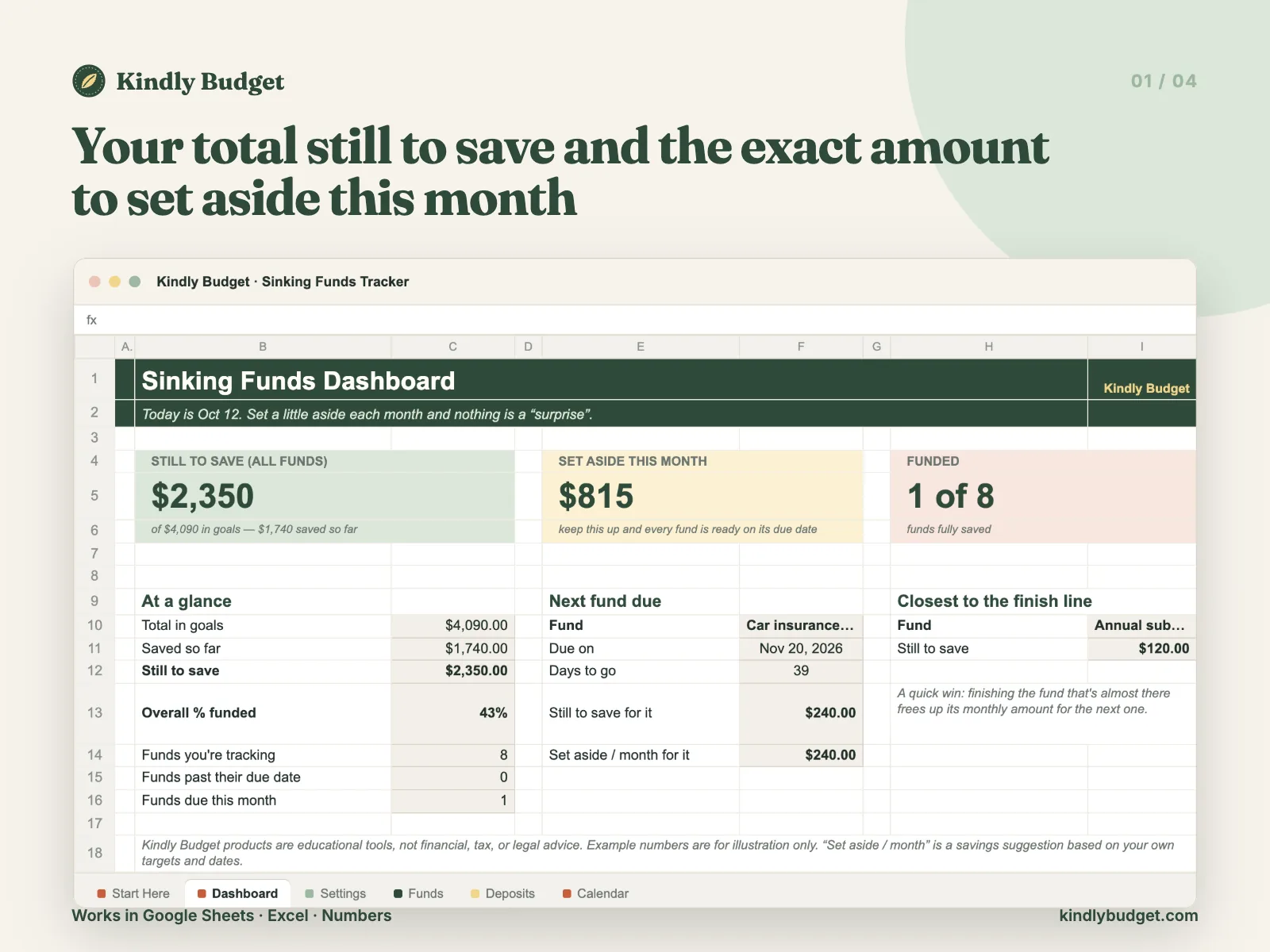
- Dashboard with your total still to save, the amount to set aside this month, and the next fund due
- "Closest to the finish line" so you always know your quickest win
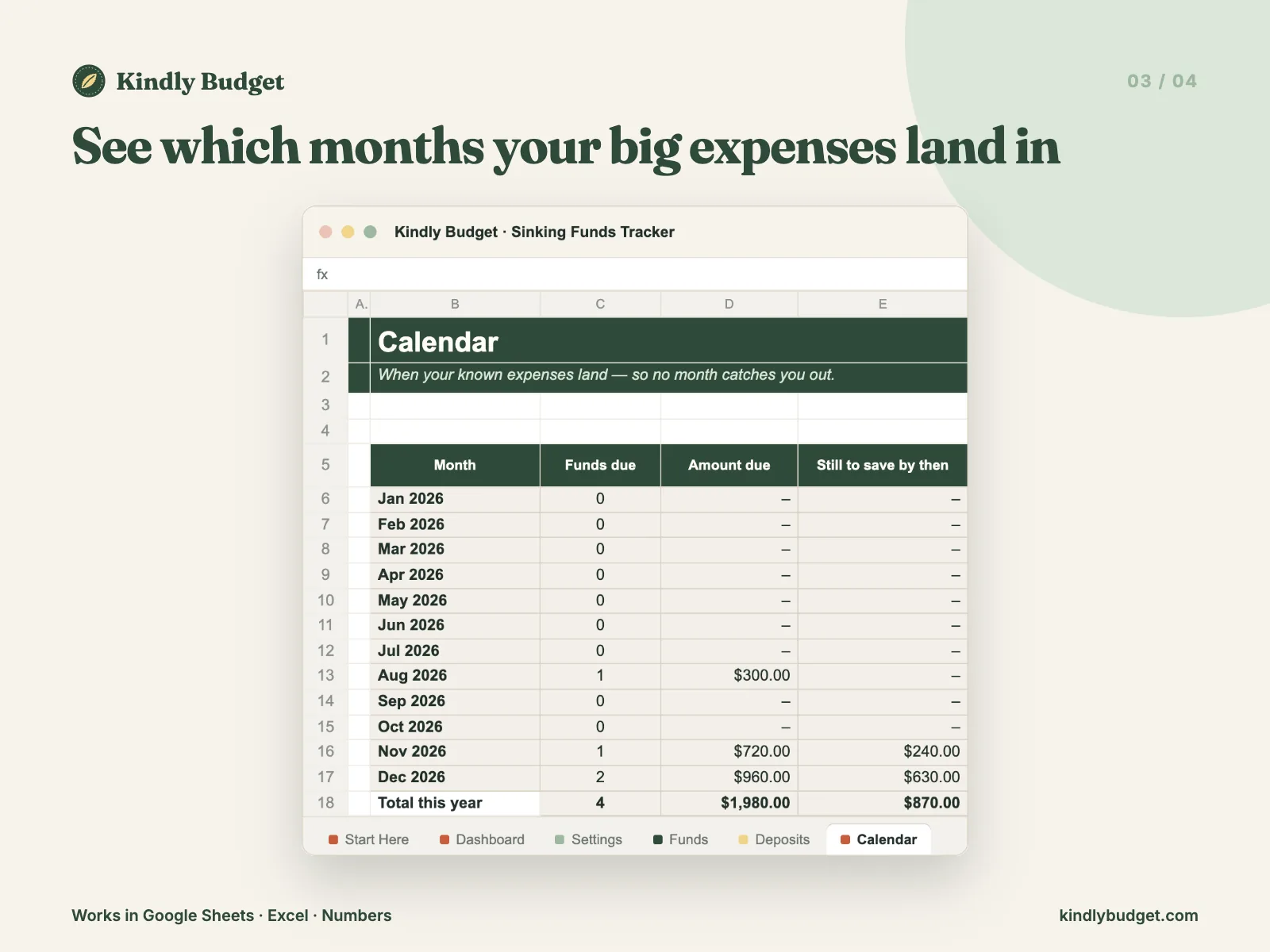
- Year Calendar showing which months your big expenses land in
- Starts with 8 example funds you can clear in a minute
- Start Here tab + PDF guide
- 5 currency versions: $, £, €, CA$ and A$
Formats: Excel .xlsx — works in Google Sheets, Microsoft Excel and Apple Numbers · 5 currency versions: $, £, €, CA$, A$ · Start Here PDF guide
How it works
Checkout
Secure checkout by Polar. Pay with card, Apple Pay or Google Pay.
Download
Your files arrive instantly by email and in your customer portal.
Set your funds
Open it in Google Sheets, Excel or Numbers. Add your funds with a target and a date — about 10 minutes.
or it's
free
Love it or it's free
If the tracker doesn't make those once-a-year costs feel calmer, email us within 14 days of your first purchase and we'll refund you. No awkward questions.
Good questions
Do I need Excel?
No. It works in free Google Sheets (on your computer or phone), Microsoft Excel and Apple Numbers.
What's the difference between this and a savings account?
The money can live anywhere — a savings account, a named "pot" in your bank app, or cash. This tracker is the plan: it keeps the score and tells you how much to set aside each month.
How is it different from the Paycheck Budget Planner?
The planner organizes every paycheck. This is a focused tool just for your irregular, once-a-year costs. Many people use both — they fit together neatly.
Which currency does it use?
Your download includes $, £, €, CA$ and A$ versions — open the one you need.
Is this financial advice?
No. It's an organizing tool that helps you plan your own money. For advice about your situation, talk to a licensed professional.
Is it a subscription?
No. One payment, yours forever — including future updates to this tracker.
Next December can feel completely different.
Ten minutes to set up your funds, then five calm minutes a month. That's it.
Not ready yet? Grab the free Subscription Audit.
Secure checkout by Polar · Card, Apple Pay, Google Pay · Love it or it's free (14 days)
Kindly Budget products are educational tools, not financial advice. Example numbers are for illustration only.